Bulk review
Bulk review speeds up work when an assignment has many submissions ready for review.
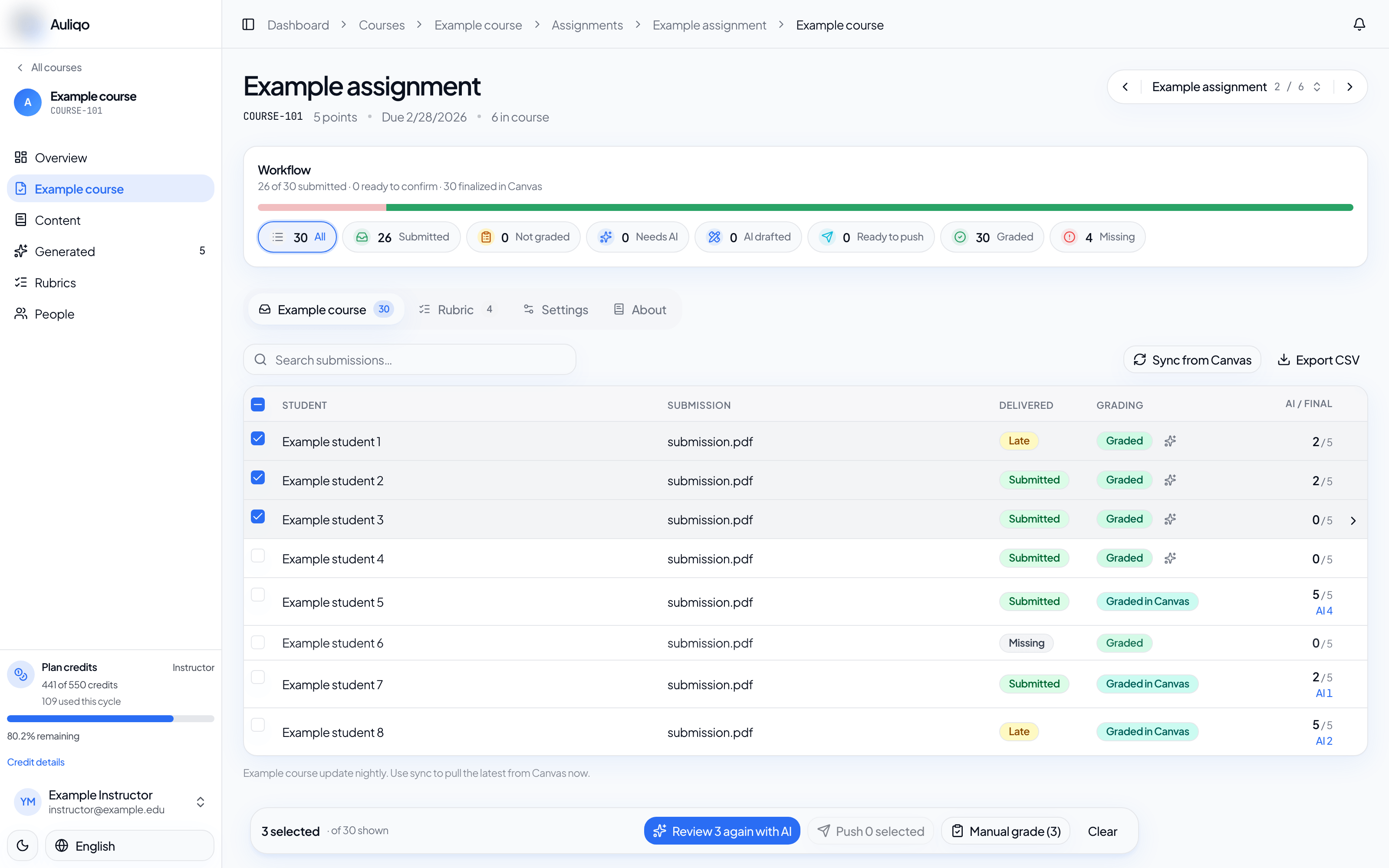
Select submissions
In the submissions list, select the rows you want to process. The bottom action bar shows how many submissions are selected and which actions are available.
Run AI review in bulk
- Select eligible submissions.
- Confirm that the assignment has a default rubric.
- Select Review selected with AI.
- Wait for the reviews to finish.
- Open reviewed submissions to confirm criteria and publish.
If some submissions already have a review, Auliqo may ask for confirmation before queuing them again.
Manual drafts in bulk
When you do not need AI, create manual drafts for multiple submissions with the same score and comment. Nothing is published to your LMS until you review and publish.
Publish in bulk
After reviewing, select submissions with ready grades and use Push selected or Push all reviewed. If a submission already has a grade in your LMS, Auliqo shows a warning because publishing can overwrite the gradebook value.
Best practices
Review flagged submissions first. Then publish in smaller batches for high-stakes assignments or right after changing a rubric.