Credits and billing
Credits control AI review usage. You can see them in the sidebar and on the Plan credits page.
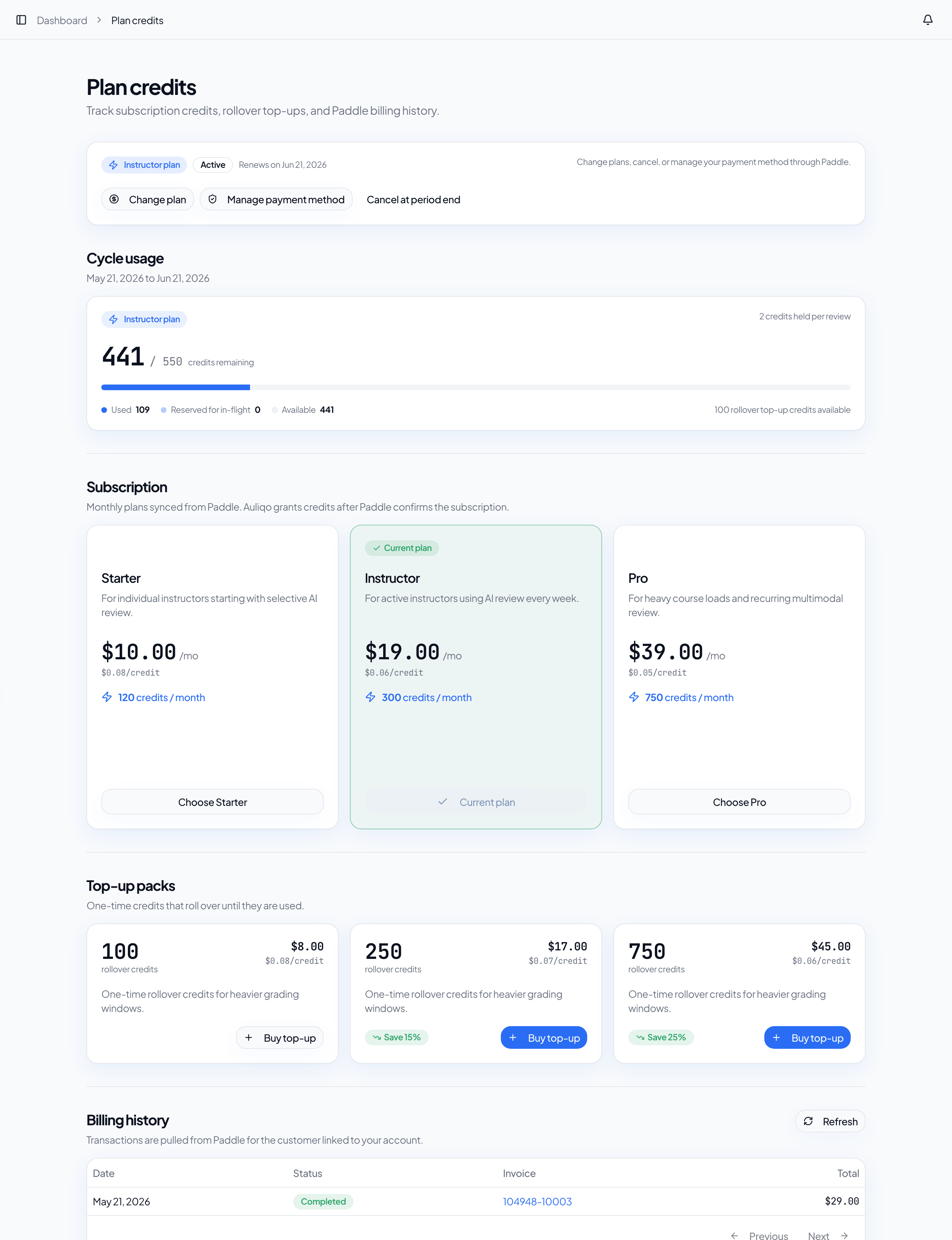
Credit types
- Plan credits: credits included in your monthly subscription.
- Used credits: credits captured by completed reviews.
- Reserved credits: credits held temporarily for in-flight reviews.
- Top-ups: one-time credits that roll over until used.
Review reservations
Before starting a review, Auliqo reserves credits. When the review finishes, credits are captured according to the configured cost. If the review fails before completion, the reservation is released or adjusted based on job state.
Not enough credits
If credits are insufficient, Auliqo blocks AI review and shows the available balance. You can change plan or buy top-ups if available for your account.
Plans and Paddle
Plans and billing history sync from Paddle. Credits update after Paddle confirms the subscription or purchase. If you just paid and the balance has not appeared yet, wait for the webhook to finish processing.
History
The history table shows transactions for the Paddle customer linked to your account.